
The phone calls we get on a Tuesday at 3 PM all sound similar. "We think someone is in our tenant. We're not sure what to do next." By the time we are on the call, the incident has usually been active for somewhere between 90 minutes and 6 hours. The first 4 hours are the most consequential window for limiting damage. They are also the window most SMBs spend trying to figure out who should be making decisions, what tools they have available, and which actions are safe to take.
The companies that come through these incidents with limited damage are not the ones with the largest security budgets. They are the ones who decided, before the incident, what their first 4 hours would look like. The playbook does not need to be elaborate. It needs to exist, be accessible without being signed into the systems that may be compromised, and be specific to the Microsoft 365 environment the organization actually operates.
This post is the structure we recommend SMBs build their playbook around. It is not a substitute for professional incident response. It is the framework that buys the time and contains the damage until professional help can engage, and that lets even a small IT team take meaningful action in the moments that matter most.
Why most SMB playbooks don't exist
Three reasons we see consistently in audits:
The plans that exist are generic. They were copy-pasted from a NIST template, a cyber insurance underwriter's recommendation, or a compliance audit. They describe "containment" and "eradication" without specifying which Microsoft 365 button to click, which Defender XDR action to take, or which Entra ID role to use to take it. When the incident hits, the team reads the generic plan and is no closer to action.
The plans that exist are stored where the attacker can reach them. A playbook stored on the company's SharePoint, in the OneNote that runs on the compromised user's laptop, or in the email account that the attacker is currently sitting on is not a playbook. It is a hostage.
Nobody has practiced. A playbook that has never been walked through in a tabletop exercise is theoretical. The first time the team executes any step is the actual incident, which is the worst possible time to find that the documented procedure has a gap.
These three failures explain why most SMB incidents we respond to in the first 4 hours involve substantial improvisation rather than execution of a plan.
What the first 4 hours need to cover
Time matters more than completeness. The playbook should be optimized for fast execution by people who are not security specialists, not for theoretical thoroughness.
Hour 1: Detect and triage
What this means: Confirm that an incident is actually in progress. Not every alert is an incident, and treating every alert as a breach burns out the team and erodes future response. The first hour is about deciding "is this real?"
Microsoft 365 tools that help:
- Microsoft Defender XDR incident view consolidates alerts from across Defender for Office 365, Defender for Identity, Defender for Endpoint, and Defender for Cloud Apps into single incidents with correlated signals. If your tenant is on E5 or has Defender for Business, this is the first place to look.
- Entra ID Sign-in Logs and Risky Users report show whether the alert correlates to suspicious authentication activity.
- Microsoft Purview Audit log shows what actions the suspected account has been performing recently.
If the answer to "is this real" is yes, the playbook moves into hour 2. If the answer is no, the team logs the false positive, tunes the detection that fired, and goes back to work. The disciplined separation between "alert" and "incident" is one of the highest-leverage practices an SMB can build.
Hour 2: Contain the immediate access
What this means: Stop the attacker from continuing to do whatever they are currently doing. Containment in the first 2 hours dramatically limits blast radius.
Specific actions for a Microsoft 365 incident:
- Revoke active sessions for the affected user account (Entra ID admin center > Users > Sign-ins > Revoke sessions). This invalidates session tokens and forces the attacker out of any cloud apps they were in.
- Reset the user's password to break any cached credentials.
- Require MFA registration reset if the attacker may have registered their own MFA method on the account. This is one of the most overlooked actions and one of the most consequential.
- Disable the account temporarily if the user is in a state where re-authentication is not yet safe.
- Isolate compromised devices through Microsoft Defender for Endpoint (Device > Isolate device action). This severs network access while preserving forensic data.
- Block any OAuth application grants the attacker may have created (Enterprise Applications > review recent grants > revoke).
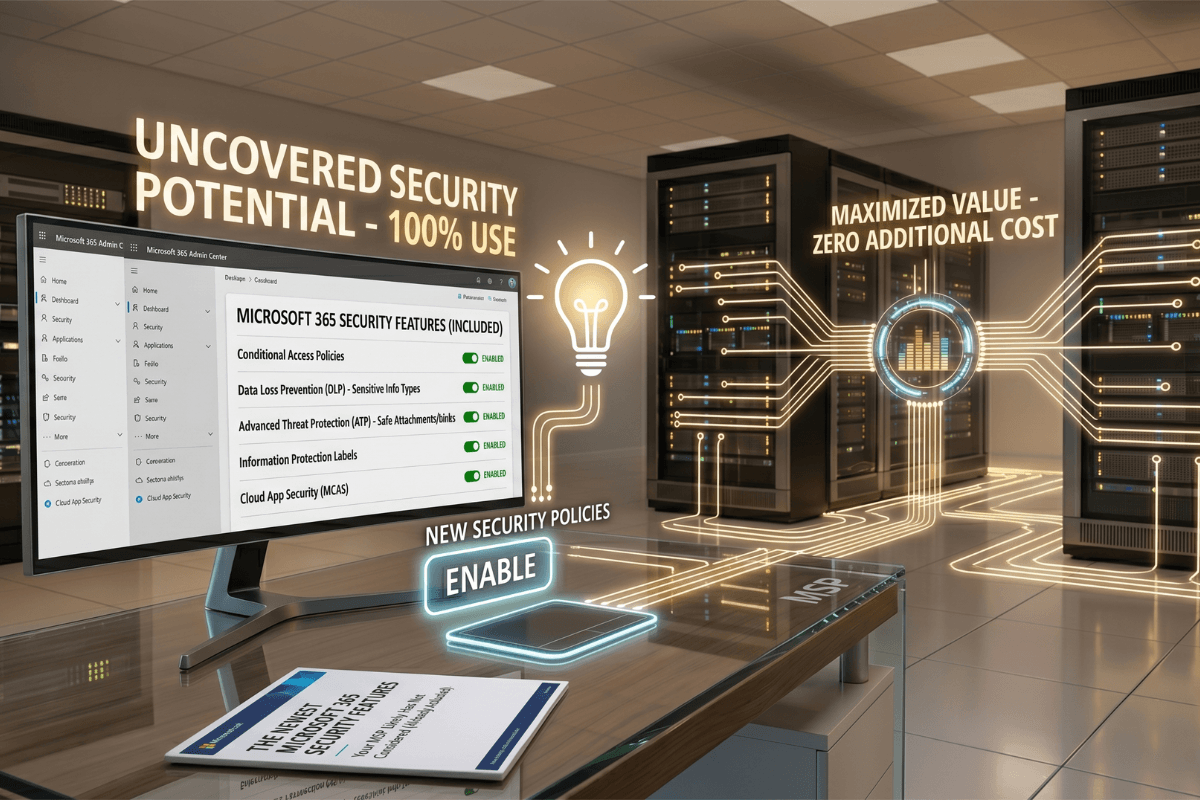
If Defender XDR Automatic Attack Disruption is enabled and the incident is one of the supported scenarios, several of these actions happen automatically. We discussed the capability in our post on the newest Microsoft 365 security features.
Hour 3: Determine the scope
What this means: Understand what the attacker actually touched. Scope determines whether this is a contained mailbox compromise or a tenant-wide incident.
Specific questions to answer:
- What other accounts has this user accessed in the last 30 days? (Audit log > UserLoginFailed and UserLogin events)
- What files have been opened, downloaded, or shared from this user's OneDrive and SharePoint? (Audit log > FileAccessed, FileDownloaded, SharingSet events)
- Has the user created any inbox rules, forwarding rules, or delegate permissions that would persist after the password change? (Exchange Online > inspect mailbox rules)
- Has the user granted consent to any new OAuth applications recently? (Enterprise Applications > recent activity)
- Has Conditional Access blocked or allowed anomalous sign-ins for this account? Sign-in Logs filtered by user and Conditional Access result will show the answer.
This is where the gap between tenants we have written about extensively becomes visible. Tenants where the controls described in our post on Conditional Access mistakes that leave your tenant exposed are not enforced have substantially less data to work with in this phase.
Hour 4: Communicate and prepare for the next phase
What this means: Get the right people involved and document what is known so that the work can hand off to professional responders, legal counsel, insurance, or leadership without losing context.
Specific actions:
- Engage incident response support (your MSP, a dedicated IR firm, or in some cases Microsoft Unified Support if applicable).
- Notify cyber insurance underwriter within their required timeline. Most policies require notification within 24-72 hours and have penalties for late notification.
- Notify the legal team or external counsel if the incident may involve regulated data (GLBA, HIPAA, PCI, SEC, GDPR).
- Document everything done in hours 1-3 in a timestamped incident log. This log becomes critical for post-incident review, insurance claims, and regulatory disclosure if required.
- Prepare an internal communication for leadership with what is known, what is not yet known, and what actions are in progress.
What the playbook should physically be
A playbook that works for an SMB is not a 40-page document. It is a 1-2 page action card per scenario type, plus a small set of supporting documents. The structure we recommend:
Action cards (1-2 pages each):
- Suspected mailbox compromise.
- Suspected administrator account compromise.
- Suspected device compromise (ransomware indicators).
- Suspected OAuth consent attack.
- Suspected token theft / impossible travel.
- Suspected data exfiltration via cloud apps.
Each card has: the indicators that match it, the immediate containment actions in order, the scope questions to answer, the escalation contacts, and the documentation required.
Supporting documents:
- Contact list with phone numbers (cyber insurance, MSP, IR firm, legal counsel, leadership). Stored on paper or in a system the attacker cannot reach.
- Break-glass account credentials and FIDO2 keys stored separately and physically secured.
- Recent Conditional Access policy export, so you know what your enforcement state was at the time of the incident.
- Tenant configuration snapshot for forensic comparison.
The cards live somewhere accessible during an incident even when the tenant is compromised: printed and stored physically, in a separate (non-Microsoft) cloud account managed by leadership, or on a dedicated incident response device that does not share credentials with the main tenant.
Practicing the playbook
A playbook that has never been executed is unreliable. The recommended cadence:
- Annually: Full tabletop exercise where leadership and IT walk through a realistic scenario together. Identifies organizational gaps (who decides what, when to escalate, communication chain).
- Quarterly: Lighter walkthrough of one specific scenario card. Identifies technical gaps (does the action card still match the current tenant configuration, are contact phone numbers current, does the break-glass account still work).
- After every actual incident, no matter how small: Post-incident review with playbook revision. The biggest opportunities to improve the playbook are real events that revealed gaps.
For SMBs without internal capacity to run these exercises, an MSP partner running the tabletop annually is reasonable. The cost is significantly lower than the cost of executing the playbook in the dark during a real incident.
Where this playbook connects to everything else
A playbook is the last line of defense after preventive controls. The investments we have written about in posts on Conditional Access mistakes, what Microsoft Secure Score doesn't tell you, Defender for Cloud Apps shadow IT discovery, Intune and Conditional Access integration, and SPF/DKIM/DMARC email authentication all shape what incidents your tenant will actually face. A weak posture in any of those layers produces more incidents the playbook has to handle. A strong posture across all of them means the playbook is rarely exercised under pressure.
The same logic applies in reverse. We covered the ransomware response architecture in our post on overcoming digital crises and the insider risk angle in our post on data breaches in the age of AI. The playbook for those scenarios is more specific, but the structure (detect, contain, scope, communicate) is the same.
How NeoDefender helps
We help SMB clients build, maintain, and exercise their Microsoft 365 incident response playbooks as part of our Cybersecurity managed services. The playbook is not the deliverable; the operational readiness is. A document on a SharePoint nobody can reach during an incident is worse than no playbook at all, because it provides false confidence.
If your organization does not yet have a Microsoft 365 incident response playbook, or has one that has never been exercised, schedule a Reality Check with the NeoDefender team. We will review your current state, identify the highest-leverage gaps, and help you build the playbook that fits your environment, your team, and the time you have available to invest. The best time to build it was last year. The second best time is before the Tuesday afternoon phone call.